Understanding DataViews in WordPress: Practical Insights
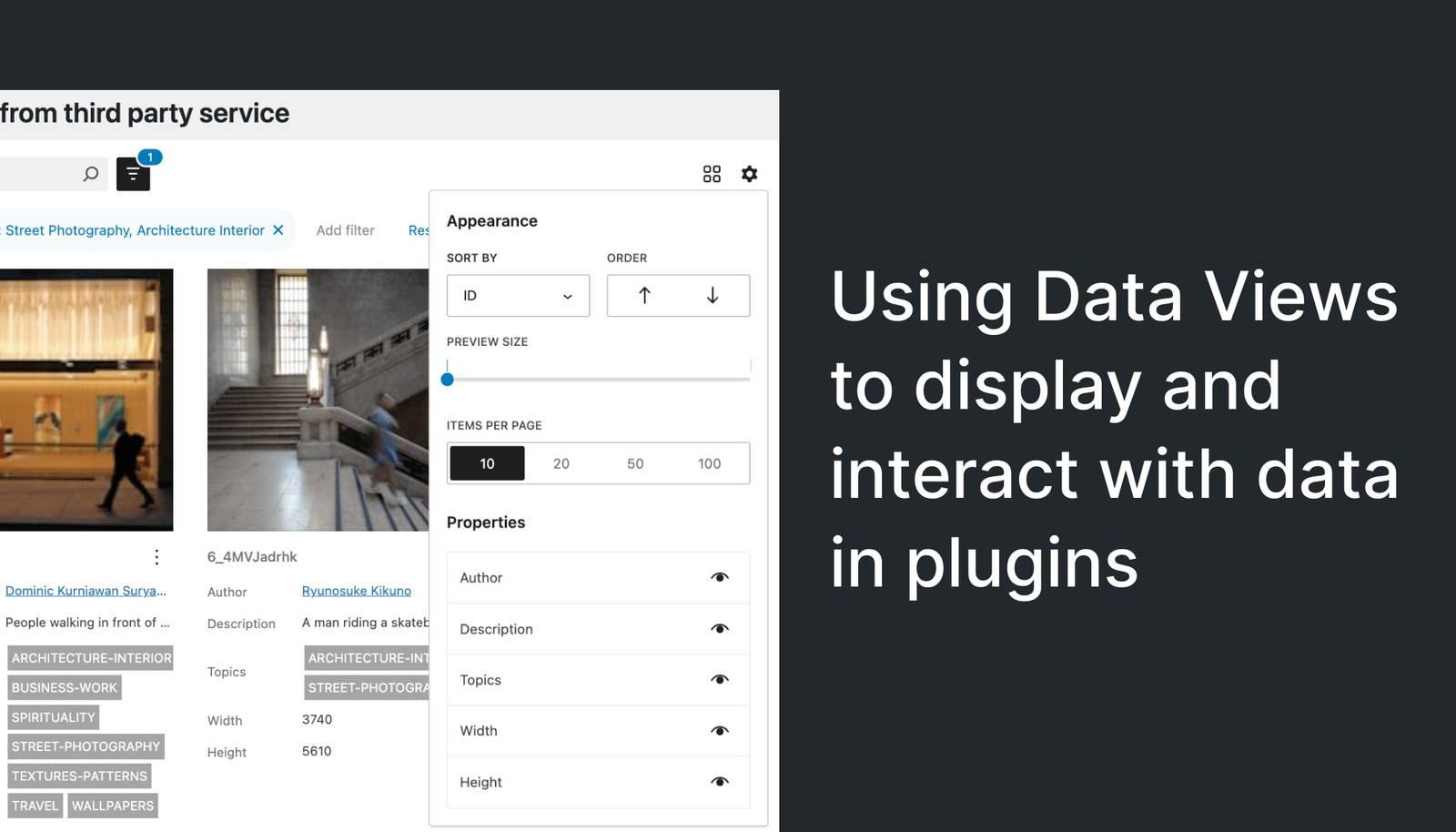
As a WordPress developer, understanding the evolving landscape of admin screens can make a significant difference in your projects. DataViews represent one such evolution that promises to streamline and enhance the user experience for WordPress and WooCommerce admins. But what are DataViews, and how can you leverage them effectively in your workflows?
This article explores the concept of DataViews, their benefits, and practical steps for integrating them into your WordPress or WooCommerce projects.
What Are DataViews?
DataViews are a framework within WordPress designed to simplify the display and management of data on admin screens. They offer a structured approach to rendering data, making it easier for developers to create cohesive and intuitive interfaces. By using DataViews, developers can ensure a consistent look and feel across different parts of the admin interface, enhancing usability and reducing the learning curve for end-users.
Core Benefits of DataViews
- Consistency: DataViews provide a standard way to display data, ensuring uniformity across various admin screens.
- Efficiency: They streamline the process of creating admin interfaces, reducing development time and effort.
- Flexibility: DataViews are designed to be easily customizable, allowing developers to tailor them to specific project needs.
- Integration: They seamlessly integrate with existing WordPress and WooCommerce functionalities, providing a cohesive development experience.
Implementing DataViews in Your Projects
To effectively utilize DataViews in your WordPress or WooCommerce projects, follow these practical steps:
- Understand the Framework: Familiarize yourself with the DataViews API and the documentation provided by WordPress. This foundational knowledge will help you leverage its full potential.
- Plan Your Interface: Before diving into code, map out the data you need to display and how it will be organized. A clear plan will guide your implementation and ensure a logical flow.
- Leverage Reusability: Utilize the reusable components offered by DataViews. This not only speeds up development but also ensures consistency across different parts of your project.
- Test Thoroughly: As with any new tool, rigorous testing is crucial. Ensure that your DataViews work seamlessly across various devices and screen sizes.
- Iterate and Improve: Gather feedback from users and iterate on your designs. DataViews are flexible, allowing for continuous improvement based on real-world usage.
Potential Challenges
While DataViews offer numerous benefits, there are potential challenges to be aware of:
- Learning Curve: For developers new to the framework, there may be an initial learning curve as they familiarize themselves with its features and capabilities.
- Compatibility: Ensure that any third-party plugins or themes you use are compatible with DataViews to avoid conflicts.
- Performance: As with any data-heavy application, be mindful of performance, especially when dealing with large datasets.
Takeaways
DataViews represent a significant step forward in enhancing the WordPress admin experience. By providing a consistent and efficient way to display data, they empower developers to create more intuitive and user-friendly interfaces. Embrace this tool in your development process, and take the time to understand its capabilities and limitations. With careful planning and implementation, DataViews can greatly improve the quality and effectiveness of your WordPress and WooCommerce projects.
As you experiment with DataViews, remember to keep end-users in mind. Their experience should drive the design and functionality of your admin screens, ensuring that the final product meets their needs and expectations.

Working on something like this? I take on WordPress, WooCommerce, performance and AI-automation projects as a freelancer.
Get a free site audit